

Arrival / departure days
If, for example, you only rent accommodation for the whole week in high season, you can use the "Arrival / Departure Days" restriction to set it up.
We'll show you how to easily set this limit in Trevlix in 3 steps.
1. In the Rates module, check your arrivals / departures
First, make sure that the "arrivals / departures" box is checked in the Rates module:

2. Arrival days
Suppose we want to allow arrivals and departures for the selected period only on Saturdays.
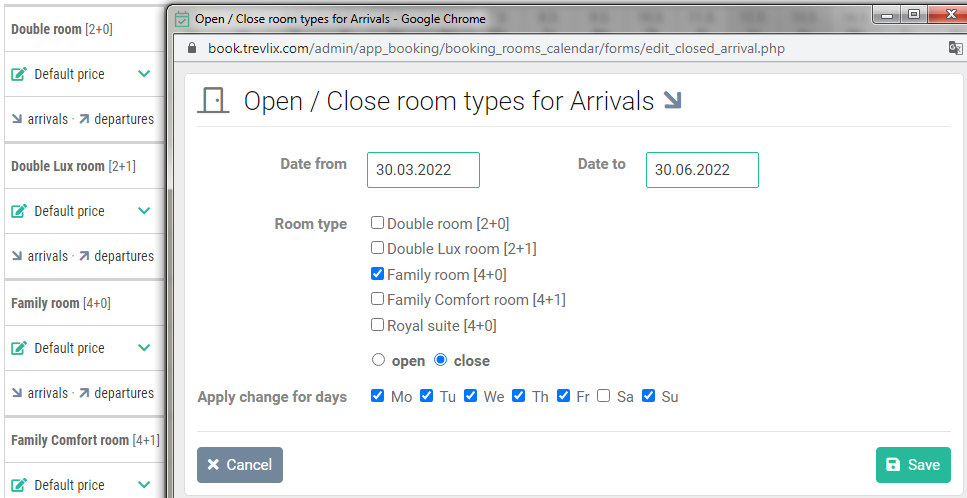
- Click on the "arrivals" button for the selected room type.
- Then we choose the date from - to for which the restriction will apply.
- Then we will ban the arrival for all other days except Saturday
3. Departure days
We will do the same for departure days.
Click on the "departures" link for the selected room type and close all days except Saturday for departures.
.png)
Done
Now in the Rates module on the Arrivals / Departures line we can see that arrivals and departures are only allowed on Saturdays in the set period.

That's all, we're done 😃