

Expedia.com - adding a user
Expedia.com - adding a user
To activate the connection between Trevlix and Booking.com for you, we need access to the www.expediapartnercentral.com account for your property.

How to add a user in Expedia.com Partner Center
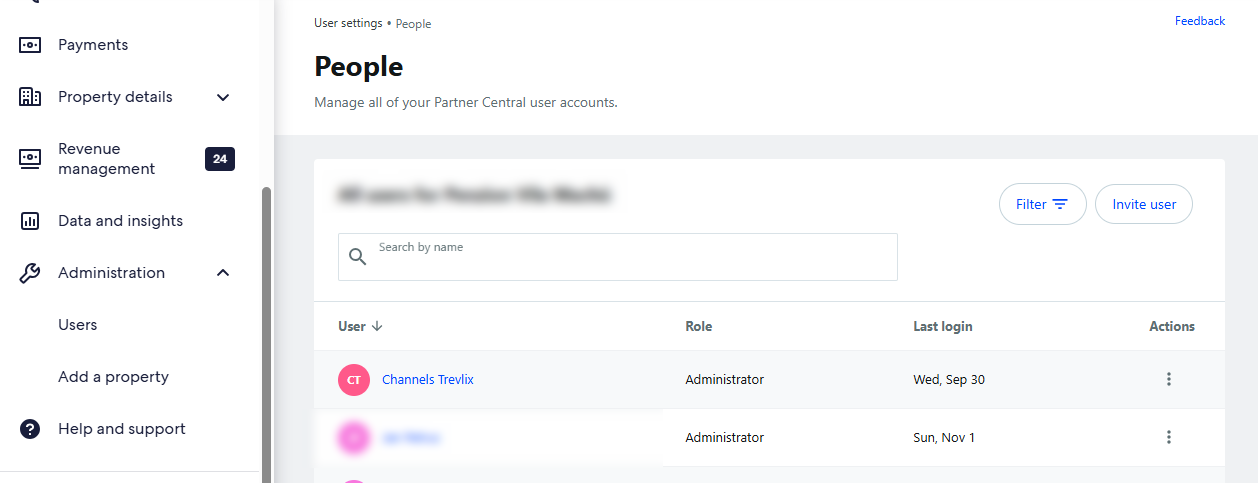
In Expedia Partner Central, please select from the menu:
Administration - Users - Invite user
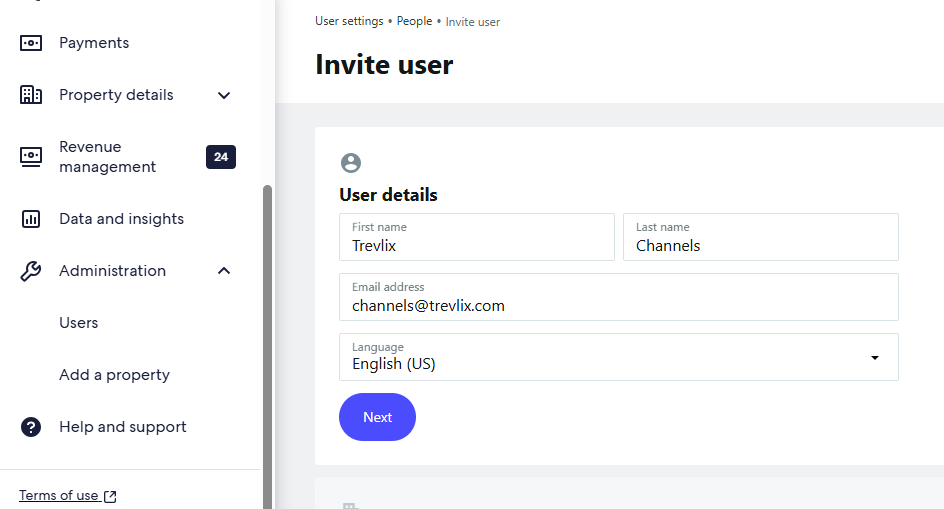
and please create an account for us using this email address:
channels@trevlix.com
Done
We will now check that the accommodation settings on Expedia.com and in Trevlix match, and if no changes are needed, we will activate the Channel Manager