

How to add accommodation to Google Maps
Many guests looking for accommodation in a specific location use Google Maps. Thanks to the development of smartphones and tablets, we are also increasingly relying on navigation and mapping applications. Therefore, your accommodation should definitely not be missing on the maps. Adding your hotel, guesthouse, apartment or cottage to Google Map is an effective opportunity to increase visitors 📈 And it's free 😎
How do I add accommodations to Google Maps?
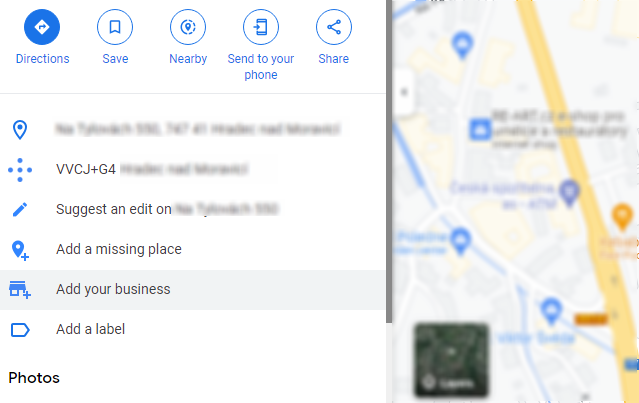
- Open Google Maps
- Find the address where your property is located
- Click "Add your business" on the left
- Fill in as much information about your accommodation as possible. Don't forget the web address with online booking options.
- Google will still want to verify that you are located at this address. Select your preferred verification option and follow the instructions.
You can find more detailed help directly from Google here. The direct link to create a Google Business Profile is here.
Users will also be able to add reviews to your listing on Google. Don't underestimate the power of reviews and always try to respond in a pleasant and assertive way to positive and negative comments.
A business listing on Google is also required if you want to offer accommodation through Google Free Booking Links or Google Hotel Ads .